
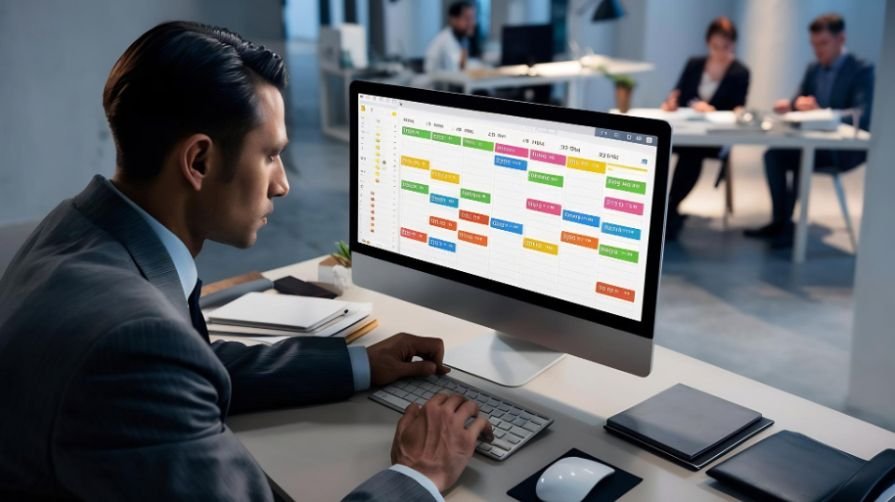
I have seen how quickly a simple weekly schedule can become an operational headache. One employee changes availability, another calls out, and a busy manager suddenly spends hours sending messages and rearranging shifts. The right employee scheduling software for small businesses replaces that confusion with one organized system for planning shifts, managing availability, tracking hours, and communicating changes.
The best platform is not necessarily the one with the longest feature list. It is the one that fits the company’s workforce, locations, payroll process, and budget without creating additional administrative work. This guide explains what to prioritize and how the leading options compare.
What Is Employee Scheduling Software?
Employee scheduling software is a digital platform used to create, publish, and manage staff schedules. Managers can assign shifts according to availability, position, location, and expected demand. Employees can usually check schedules, request time off, claim open shifts, or exchange assignments through a mobile app.
Many platforms extend beyond basic scheduling. They may provide time clocks, geofencing, overtime alerts, labor forecasting, team messaging, payroll exports, and paid-time-off management. These connected functions reduce repetitive data entry and help managers identify scheduling problems before they affect customers.
Why Small Companies Need Better Scheduling
Paper rosters and spreadsheets can work for a stable team with predictable hours. Problems begin when a company adds part-time workers, multiple roles, changing availability, or additional locations.
A scheduling platform creates a shared version of the weekly plan. Employees receive updates immediately instead of relying on a printed schedule or group text. Managers can identify understaffed periods, prevent overlapping assignments, and monitor scheduled labor costs before publishing the roster.
It can also make employees more responsible for routine changes. Workers may submit availability, request leave, claim open shifts, or propose swaps inside the app. Managers retain approval authority but no longer need to coordinate every request manually.
Leading Scheduling Platforms for Smaller Teams

Homebase for Hourly Teams
Homebase is particularly suitable for restaurants, stores, salons, and other businesses operating from one primary location. Its scheduling tools connect with time tracking, employee communication, payroll, and several popular point-of-sale systems.
Its free option can be attractive to a new business, although plan limits and advanced-feature restrictions should be reviewed carefully. Companies adding locations may find that location-based pricing changes the total cost considerably.
Connecteam for Deskless Employees
Connecteam combines scheduling with mobile time tracking, chat, forms, tasks, and operational tools. It works especially well for teams that spend little time at a conventional desk, including cleaners, contractors, delivery workers, and field-service employees.
Managers can publish shifts, offer open assignments, collect acknowledgments, and communicate from one app.
As businesses adopt more AI-enabled tools across workforce operations, understanding how businesses should adapt strategy for agentic AI can help them think about automation, human oversight, and operational responsibilities more strategically.
Its broad functionality is useful, but companies should decide which modules they genuinely need to avoid unnecessary complexity.
When I Work for Shift Swapping
When I Work focuses heavily on employee participation. Workers can update availability, request time off, exchange shifts, and claim openings from their phones. This makes it a strong candidate for workplaces where schedules change frequently.
Its value comes from reducing the conversations that occur after a schedule is published. Businesses should still verify whether time tracking, payroll connections, and other required capabilities are included in the chosen plan.
Buddy Punch for Attendance Control
Buddy Punch is a practical option when accurate attendance is as important as creating the roster. GPS restrictions, geofencing, clock-in controls, overtime notifications, and payroll exports can help companies manage workers across different sites.
These accountability tools may benefit construction, cleaning, landscaping, home-service, and mobile teams. Employers should establish transparent location-tracking policies and limit monitoring to legitimate business requirements.
Deputy for Labor Planning
Deputy combines visual scheduling with attendance, availability, demand planning, break management, and compliance-oriented controls. It is useful for growing organizations that need more automation than a basic shift calendar provides.
Forecasting features can help managers align staffing with expected customer demand. However, businesses should compare the price of required add-ons and confirm that any compliance setting matches the rules applying to their workplace.
Findmyshift for Simplicity
Findmyshift uses a familiar spreadsheet-style scheduler. That design can make the transition easier for managers accustomed to Excel or paper rosters.
It includes schedule sharing, notifications, availability, leave requests, and shift exchanges. Smaller teams that want uncomplicated scheduling may prefer this approach over a full workforce-management suite.
Features Worth Prioritizing
Availability and Self-Service
Employees should be able to submit availability and time-off requests without creating parallel email or text-message records. Open-shift claiming and controlled shift swaps can reduce the time managers spend finding coverage.
Time and Payroll Connections
Scheduling and timekeeping should work together. Confirm that regular hours, overtime, breaks, and paid leave can be transferred accurately to the company’s payroll provider. A familiar payroll logo on an integrations page does not always mean every feature is supported on every plan.
Labor-Cost Visibility
A useful system displays projected wage costs while the schedule is being built. Managers can then identify unnecessary overtime, excessive coverage, or expensive role combinations before shifts begin.
Mobile Reliability
Employees will judge the platform largely by its mobile app. Schedule notifications, time-off requests, shift claims, and clock-ins should require minimal training. Test the employee experience during a free trial instead of assessing only the manager dashboard.
Multi-Location Permissions
Companies operating several sites need controls that determine which managers can edit particular schedules and which employees can work across locations. Central reporting becomes increasingly valuable as the business expands.
How Much Should Scheduling Software Cost?
Pricing commonly follows one of four models: per employee, per team, per location, or a base subscription plus a per-user charge. A low advertised price can therefore produce a higher final bill than expected.
Calculate the cost using the number of active employees, administrators, and locations. Include time-clock access, payroll integration, reporting, messaging, support, and implementation fees. Compare monthly and annual billing, but avoid committing annually until the platform has been tested through a complete scheduling and payroll cycle.
Free plans can work for very small teams, but they often restrict users, locations, future scheduling, reports, or automation. The right question is not whether a plan is free today, but whether it will remain practical after the next few hires.
How to Choose the Right Platform
Begin with the operational problem costing the most time or money. A restaurant may prioritize availability and retail POS integration. A contractor may need geofenced attendance and job-site visibility.
A business that wants to strengthen customer-facing operations should also understand how CRM software improves customer retention, since scheduling, service quality, and customer relationships can influence the overall customer experience.
A retailer with several stores may value location permissions and labor forecasting. An office may require only leave management and a simple shared calendar.
Shortlist two or three products and recreate a real working week in each trial. Add employees, enter availability, assign recurring shifts, process a time-off request, arrange a swap, change a published schedule, and export a timesheet. Invite several employees to test the mobile experience before making the final decision.
Frequently Asked Questions
1. What is the best employee scheduling software for small businesses?
There is no universal winner. Homebase is well suited to hourly, location-based teams; Connecteam supports deskless workers; When I Work handles employee-led shift changes; and Buddy Punch emphasizes attendance controls. The best choice depends on team size, industry, locations, and payroll requirements.
2. Is free scheduling software sufficient?
A free version may be sufficient for a small team with straightforward shifts. Review employee limits, location restrictions, reporting access, customer support, integrations, and automation before depending on it permanently.
3. Can scheduling software reduce overtime?
Yes. A platform can display scheduled hours and warn managers when an assignment may create overtime. It cannot replace accurate policies or managerial judgment, but it can expose expensive scheduling decisions earlier.
4. How long does implementation take?
A simple team may be operational within a few days. Multiple locations, complex roles, payroll connections, or imported employee records can require more preparation. Testing one complete schedule-to-payroll cycle is advisable before discontinuing the previous system.
Final Thoughts
I would choose a scheduling system based on the problem it solves every week, not the number of features advertised. A focused platform that employees actually use is more valuable than a complicated workforce suite that managers must constantly maintain.
Before committing, I recommend calculating the complete cost at the expected team size, checking payroll compatibility, and running a genuine scheduling trial. That practical test reveals whether the software will reduce administrative work, improve coverage, and remain useful as the company grows.
[…] businesses managing customer interactions across teams, understanding employee scheduling software for small businesses can also help connect workforce coordination with consistent customer […]
[…] managing multiple appointments, staff availability, and changing workloads, which is where employee scheduling software for small businesses can complement the customer-facing […]